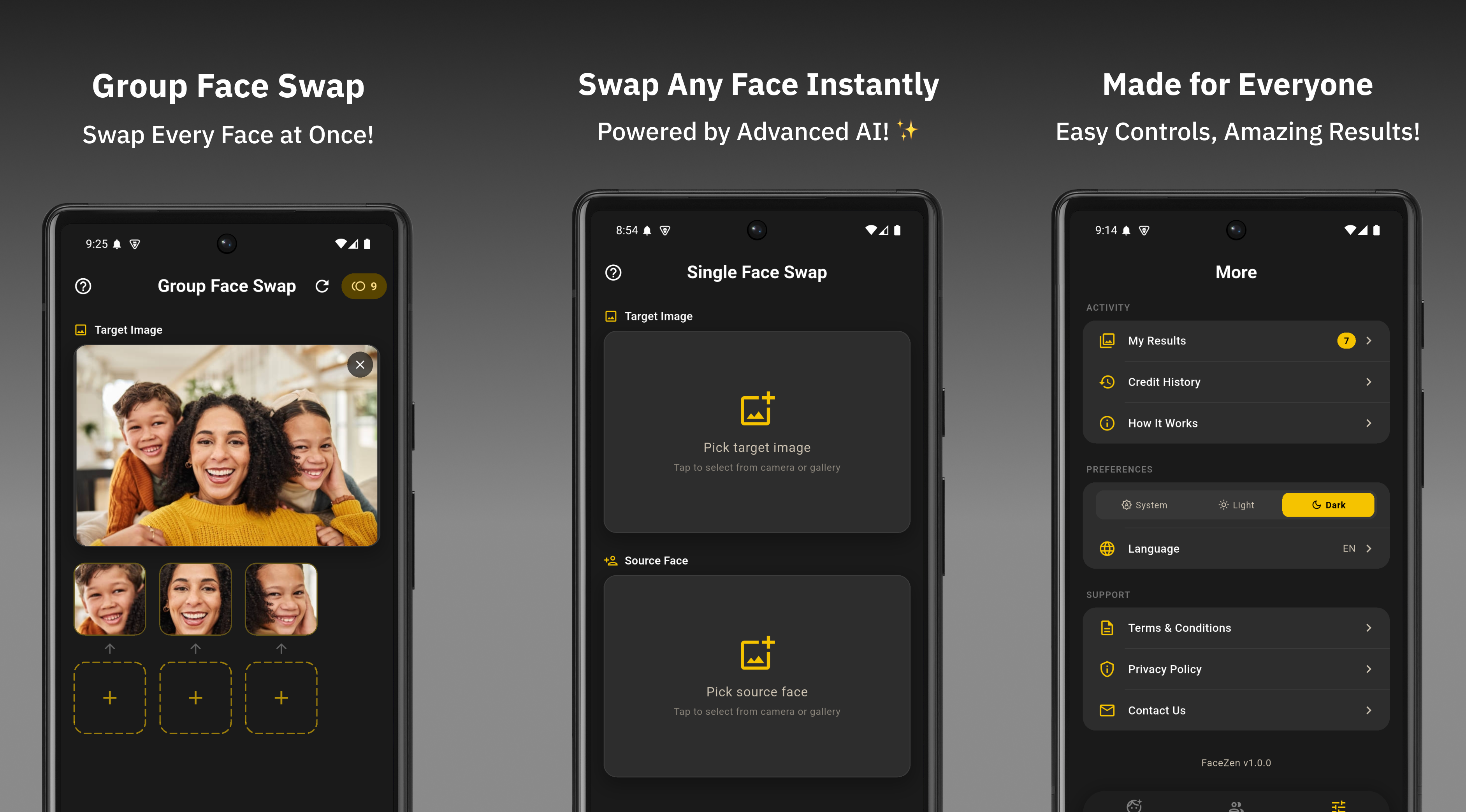
AI face swap technology has exploded in popularity. Whether for memes, creative edits, or just having fun with friends, millions of people are searching for the best AI face swap app. But with so many options on the Google Play Store, how do you know which one actually delivers?
After building and refining FaceWap, we want to share what separates a genuinely good face swap app from the disappointing majority. This post breaks down the key features that matter and why FaceWap earns its place at the top in 2026.
What Makes a Great AI Face Swap App?
Before we compare, let's define what users actually care about when choosing a face swap app:
- Result quality — Does the swap look realistic or obvious and fake?
- No watermark — Can you share the result without a brand slapped on top?
- Speed — Does it process quickly or does it keep you waiting?
- Group photo support — Can it swap multiple faces at once?
- Clean UI — Is the app easy to use without watching a tutorial?
- Cost — Is it actually free to use?
Most apps fail on at least two of these. Some produce blurry swaps. Others watermark every result. Many are free to download but immediately paywall the core features. Let's look at how FaceWap handles each one.
FaceWap: Feature Breakdown
1. Realistic AI Results
FaceWap uses advanced AI processing to blend face features naturally onto the target photo. Skin tone matching, edge blending, and lighting adjustment all happen automatically. The result looks genuinely swapped — not pasted on top.
2. No Watermark on Output
This is the feature users mention most. FaceWap does not stamp your output photo with a logo or watermark. What you create is yours to share, post, or save without modification.
"Free face swap apps that watermark every output aren't actually free — they're just using your content as advertising. FaceWap keeps the output clean."
3. Single and Group Face Swap
Most apps handle single face swaps fine but struggle or charge extra for group photos. FaceWap supports both modes equally. Whether you're editing a solo portrait or a full group shot with multiple faces, the app handles it in one workflow.
4. Fast Processing
Nobody wants to wait 30 seconds for a face swap result. FaceWap is optimized for fast processing. Most swaps complete in under 5 seconds on a standard Android device, making it practical for casual use without draining your patience.
5. Clean, Simple UI
The app is designed with a minimal interface — no confusing menus, no buried features. Users select a photo, pick the face swap mode, and get a result. That simplicity is intentional. The best editing tools get out of your way and let you focus on the creative part.
6. Better Value on In-App Purchases
Competitor apps often charge $1 for 100 coins with coins disappearing fast. FaceWap gives 300 coins for the same price, making it a significantly better deal for users who use the app frequently.
How FaceWap Compares to Other Face Swap Apps
| Feature | FaceWap | Most Competitors |
|---|---|---|
| Free to Use | ✓ | ✓ |
| No Watermark | ✓ | ✗ |
| Group Face Swap | ✓ | Paid only |
| Fast Processing (<5s) | ✓ | Varies |
| Clean UI | ✓ | Often cluttered |
| Coin Value | 300 for $1 | 100 for $1 |
| Minimal Ads | ✓ | ✗ |
Who Is FaceWap For?
FaceWap works well for:
- Anyone who wants quick, shareable face swap memes
- People creating fun content for Instagram, WhatsApp, or TikTok
- Users who want to try celebrity or character face swaps
- Group photo editing for events, weddings, or parties
- Anyone tired of watermarked outputs from other apps
Final Verdict
The best AI face swap app in 2026 is one that delivers realistic results, respects your output with no watermark, supports group photos, and doesn't hide everything behind a paywall. FaceWap checks every box.
If you've been frustrated by apps that deliver blurry swaps or ruin your photos with logos, FaceWap is worth trying. It's free, fast, and built with real user experience in mind.
Try FaceWap Free on Android
No watermark. Single and group face swap. Download free on Google Play.
Download FaceWap Free