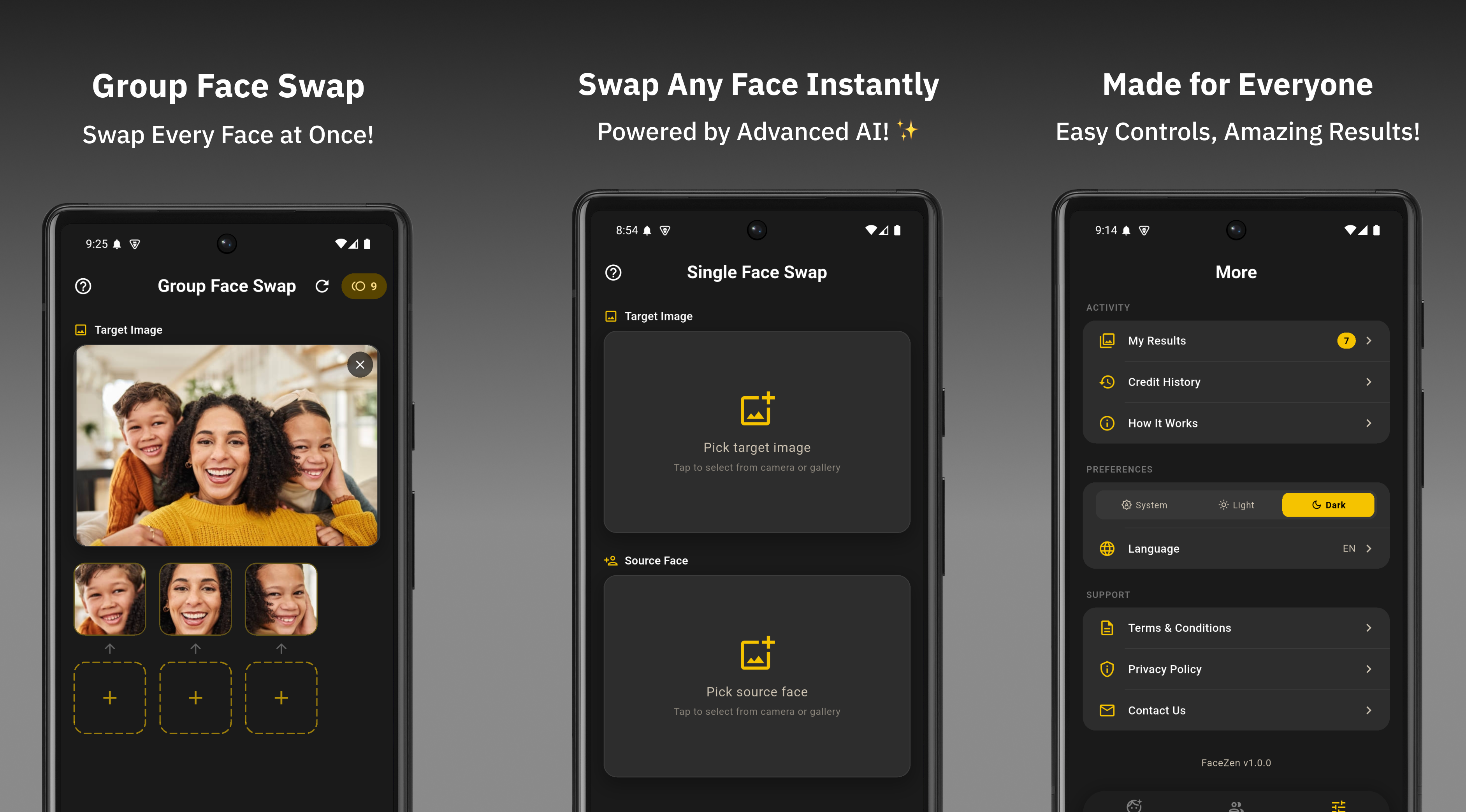
If you've been searching for the best AI face swap app, you've likely come across both FaceWap and RemakeFace. Both promise realistic face swaps, clean results, and a smooth experience — but how do they actually compare when you use them?
This post breaks down both apps across the features that matter most: output quality, watermark policy, pricing, user interface, and group photo support. No filler — just a straight comparison to help you choose the right app.
Free AI face swap app built by Epikade. Supports single and group face swap with no watermark on output. Available on Android via Google Play.
AI-powered face swap and enhancement app with a focus on photo realism. Available on Android and iOS with both free and premium tiers.
Head-to-Head Comparison Table
| Feature | FaceWap | RemakeFace |
|---|---|---|
| Free to Use | ✓ Yes | Limited |
| No Watermark on Output | ✓ Yes | ✗ Free tier adds watermark |
| Single Face Swap | ✓ Yes | ✓ Yes |
| Group Face Swap | ✓ Yes | Premium only |
| Processing Speed | Under 5 seconds | 5–15 seconds |
| Android Support | ✓ Yes | ✓ Yes |
| iOS Support | Not yet | ✓ Yes |
| Coin Value (per $1) | 300 coins | ~100–150 coins |
| Ad Interruptions | Minimal (1 ad) | Frequent ads on free tier |
| UI Simplicity | Clean, minimal | Feature-heavy, busier |
| Output Realism | High | High |
| Account Required | No | Yes (sign-up required) |
Round-by-Round Breakdown
FaceWap gives you clean output. RemakeFace doesn't — unless you pay.
FaceWap outputs every face swap result without any watermark, on the free tier. RemakeFace's free tier stamps a logo on every saved image. To remove it, you need a paid subscription. This is one of the most important practical differences — if you plan to share or use your results, watermarks make the free tier of RemakeFace nearly unusable for real purposes.
FaceWap supports group face swap for free. RemakeFace locks it behind a paywall.
Group face swap — the ability to swap multiple faces in a single photo — is a free feature in FaceWap. You can handle wedding photos, party shots, or team photos without spending anything. In RemakeFace, group swap is restricted to premium subscribers, which significantly limits what you can do on the free tier.
FaceWap processes face swaps in under 5 seconds. RemakeFace takes longer.
Speed matters when you're using an app casually and want quick results. FaceWap completes most swaps in under 5 seconds on standard Android hardware. RemakeFace typically takes between 5 and 15 seconds depending on the complexity of the image and server load. For users who create multiple swaps in a session, this difference adds up noticeably.
Both apps deliver high-quality, realistic results with good input photos.
In terms of raw AI output quality, both apps perform well. When given high-resolution, well-lit, forward-facing photos, both FaceWap and RemakeFace produce convincing face swaps with natural blending. RemakeFace has a slight edge in portrait enhancement features, but for core face swapping on standard photos, the quality difference is minimal. The input photo quality matters far more than the app itself.
FaceWap is simpler and faster to use. RemakeFace has more features but more complexity.
FaceWap is designed around a single goal: fast, clean face swaps. The UI is minimal — you open the app, choose a mode, upload photos, and get a result. There's no onboarding maze, no sign-up wall, and no feature clutter. RemakeFace includes more tools (enhancement filters, skin retouching, etc.) which adds value for some users but makes the core face swap flow less direct. If you just want to swap faces quickly, FaceWap's simplicity is a genuine advantage.
RemakeFace supports both Android and iOS. FaceWap is currently Android only.
This is the one area where RemakeFace has a clear edge. It's available on both Android and iOS, making it accessible to iPhone users. FaceWap is currently Android-only on Google Play, with iOS support planned for a future release. If you're on iPhone, RemakeFace is the current option — but for Android users, FaceWap wins on every other metric.
FaceWap gives 300 coins per $1. RemakeFace gives around 100–150 for the same price.
Both apps use a coin system for premium swaps. FaceWap gives users 300 coins for $1, making it roughly 2–3x better value than RemakeFace's in-app purchase pricing. For users who swap faces frequently and want to top up, this difference is significant. You simply get more out of every purchase with FaceWap.
FaceWap wins 5 out of 7 rounds. The only area RemakeFace leads is iOS availability — which matters if you're on iPhone. For Android users, FaceWap is the stronger choice across every practical metric.
Who Should Use Each App?
Choose FaceWap if you:
- Use an Android device
- Want watermark-free results without paying
- Need group face swap for free
- Want fast processing and a simple UI
- Swap faces frequently and want better coin value
- Don't want to create an account just to use the app
Choose RemakeFace if you:
- Use an iPhone (iOS)
- Want portrait enhancement features beyond face swapping
- Don't mind a subscription for premium features
- Need advanced editing tools alongside face swap
Final Verdict
For Android users, FaceWap is the better choice. It wins on watermark policy, group face swap access, processing speed, UI simplicity, coin value, and the fact that it requires no account to get started. The output quality between both apps is comparable, so FaceWap gives you equal results with fewer restrictions and better value.
RemakeFace is worth considering only if you're on iOS or want a broader suite of photo editing features beyond face swap. For pure face swapping on Android, FaceWap delivers more for free.
Try FaceWap — The Better Android Face Swap App
Free, no watermark, no account needed. Single and group face swap on Google Play.
Download FaceWap Free