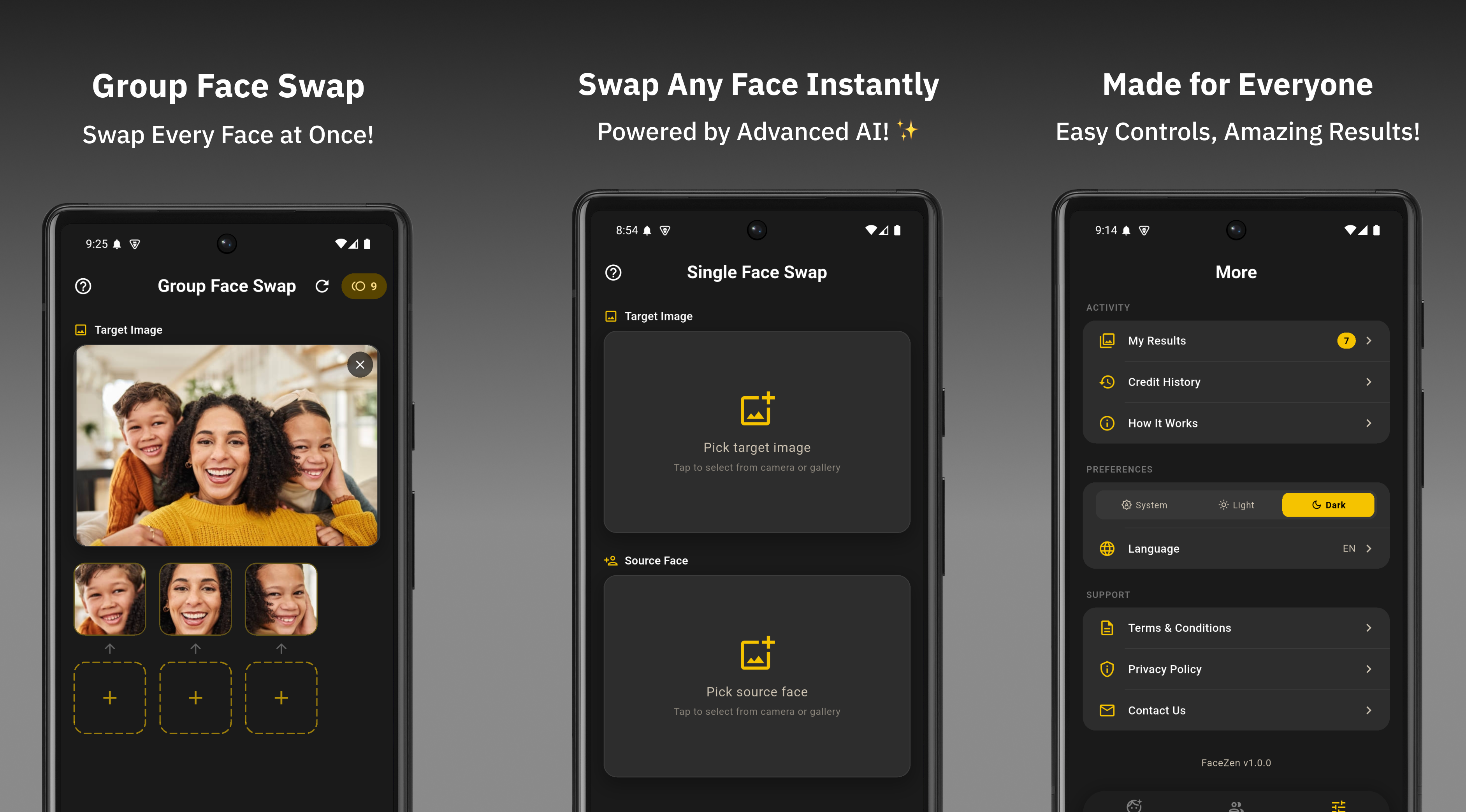
Face swap content is one of the most consistently engaging formats across Instagram and YouTube Shorts. Reaction videos, celebrity swaps, before-and-after reveals, and group transformation posts regularly generate hundreds of thousands of views — and most are made with a simple mobile app.
FaceWap gives you clean, watermark-free face swap images in seconds. Here's how to turn those results into content that earns shares, saves, and new followers.
Why Face Swap Content Performs So Well on Social Media
Face swap content triggers two of the strongest engagement drivers on social media: surprise and recognition. When someone sees a familiar face — a celebrity, a friend, a well-known character — in an unexpected context, the instinct to react, comment, and share is almost automatic.
Algorithms on both Instagram and YouTube reward content that generates comments and shares quickly after posting. Face swap posts that invite users to tag someone or vote on the result consistently hit those metrics within the first hour of going live.
- Reels favour fast, surprising reveals
- Stories work great for polls & reactions
- Carousels: before/after face swap posts
- Best posting time: 6–9 pm local
- Use 7–12 relevant hashtags per post
- Add alt text to images for SEO & accessibility
YouTube Shorts
- Under 60 seconds — quick reveal structure works best
- Descriptive title with keywords drives search traffic
- Face reveal transitions perform exceptionally well
- Best posting time: 2–4 pm & 7–10 pm local
- YouTube search indexes Shorts — use keyword-rich titles
- Pin a comment to guide engagement
Best Face Swap Content Formats
The Celebrity Swap Reveal
Start with your normal photo, then cut to the face-swapped celebrity version. The contrast between the ordinary and the unexpected drives reaction comments and shares. On YouTube Shorts, add a keyword-rich title like "I swapped my face with [celebrity] 😂" to capture search traffic from fans of that person. This format holds attention through the reveal and works in under 10 seconds.
Friend Group Transformation
Take a group photo, swap everyone's faces using FaceWap's group swap mode, and post the result as a side-by-side. Tag each person in the description or comment — the tag notifications bring early views from each person's subscribers. YouTube Shorts also surfaces this type of content to viewers who watched similar face swap videos, giving you organic reach beyond your own audience.
Before & After Carousel
Post a carousel where the first slide is the original photo and each following slide shows a different face swap variation — different celebrities, characters, or friends. Carousels get higher average reach on Instagram because users swipe through them, increasing time-on-post. Each extra swipe signals strong engagement to the algorithm and extends your content's distribution window.
"What Would I Look Like As..." Series
Create a recurring series where you swap your face onto different characters, historical figures, or professions each week. Series content builds returning viewers and follower loyalty on both platforms. On YouTube, each new episode benefits from the watch history of previous episodes — the algorithm recommends your new Shorts to people who already watched your older ones.
Reaction & Poll Short
Post a clearly funny or surprising face swap, then end with a direct question on screen: "Which version is better — original or swap?" or "Comment your reaction below." YouTube's comment section is a strong engagement signal for the Shorts algorithm. A well-placed question in the video or pinned comment can multiply your views significantly by boosting your comment-to-view ratio.
Interactive Story Swap
Use Instagram Stories to post a face swap and add a Poll sticker ("Which version is better?") or a Question sticker ("Who should I swap with next?"). Story interactions — poll votes, replies, sticker taps — directly boost your account's algorithm ranking. Accounts with high Story engagement get their feed posts shown to more followers automatically.
Step-by-Step: From FaceWap to Posted Content
Create your face swap in FaceWap
Open the app, select Single or Group Face Swap, upload your photos, and generate the result. Save the output — it is watermark-free and ready to post immediately.
Choose your format before editing
Decide whether you are posting a still image (carousel, single post), an Instagram Reel reveal, or a YouTube Shorts transition. Format first, edit second — do not crop or arrange until you know where it is going.
Add context with text overlays
A short, punchy text overlay — "Me vs my alter ego", "POV: you just became a celebrity" — frames the swap and makes it immediately understandable without sound. Content that is legible without audio performs significantly better on both platforms.
Optimise your title and caption for search
On YouTube Shorts, your title is searchable. Use the name of the person or character you swapped with — for example "I swapped faces with [Name] 😂 #faceswap". On Instagram, write a caption with a direct question or tag prompt. Both strategies drive the engagement signals that expand distribution.
Pick relevant audio for Reels
For Instagram Reels, pair your face swap with trending or recognisable audio. Instagram trending Reels audio gets boosted distribution from the platform itself, adding reach on top of your existing audience. For YouTube Shorts, original audio or royalty-free tracks work best for monetisation eligibility.
Post at peak time and engage fast
Reply to every comment within the first 30 minutes of posting on both platforms. Early engagement signals tell each algorithm the content is worth distributing further. A post that gets 20 fast comments will consistently outperform a post with 100 delayed comments in terms of total reach.
The watermark-free output from FaceWap matters here. Watermarked images look unfinished and reduce engagement across every platform. Clean results are shareable immediately without needing any extra editing to remove logos.
Hashtag & SEO Strategy for Face Swap Content
Instagram — use 7–12 hashtags per post:
- High volume: #faceswap #aiart #aifaceswap #funnyphotos #viral
- Medium volume: #facewap #faceswapchallenge #aiphoto #faceswapapp
- Niche: #[celebrity name]faceswap, #[character]faceswap — specific swaps get discovered by fans of that person
YouTube Shorts — optimise for search:
- Put the most important keyword in the first 5 words of your title
- Use the description to add context and secondary keywords
- Add 3–5 hashtags directly in the description (YouTube displays them above the title)
- Consistent posting helps YouTube understand your channel topic and recommend your Shorts to the right audience
What Makes Face Swap Content Underperform
- Low-quality or blurry source photos — the swap looks unconvincing and users scroll past
- Watermarked output — breaks the polished look required for a professional feed
- No caption hook or question — the post gives viewers no reason to comment, tag, or share
- Posting at the wrong time — even great content underperforms at off-peak hours
- No audio on video formats — silent Reels and Shorts get significantly less algorithmic reach
- Vague YouTube title — "face swap lol" gets zero search traffic; "[Celebrity Name] face swap" gets discovered
Start Creating — Download FaceWap Free
Watermark-free AI face swaps ready for Instagram and YouTube Shorts. Free on Android.
Download FaceWap Free